DIY vs Professional Installation: Which Is Right for You?
DIY can save money, but it’s not always the best choice. Here’s how to decide whether to tackle a project yourself or bring in a professional.
When DIY makes sense
Good candidates for DIY:
- Simple smart plugs and bulbs: Just plug in and connect to an app
- Battery-powered security cameras: Mount, charge, and connect to Wi-Fi
- Single-device setups: One thermostat, one doorbell, etc.
- Pre-packaged kits: All parts included with clear instructions
- Low risk of damage: Nothing that could break expensive equipment
You’ll need:
- Time to research and troubleshoot
- Comfort with apps and basic settings
- Patience for trial and error
- Tools for basic mounting
When professional installation is better
Call a professional for:
- Wired security cameras: Running cables through walls and attics
- Multi-device integrations: Making different brands work together
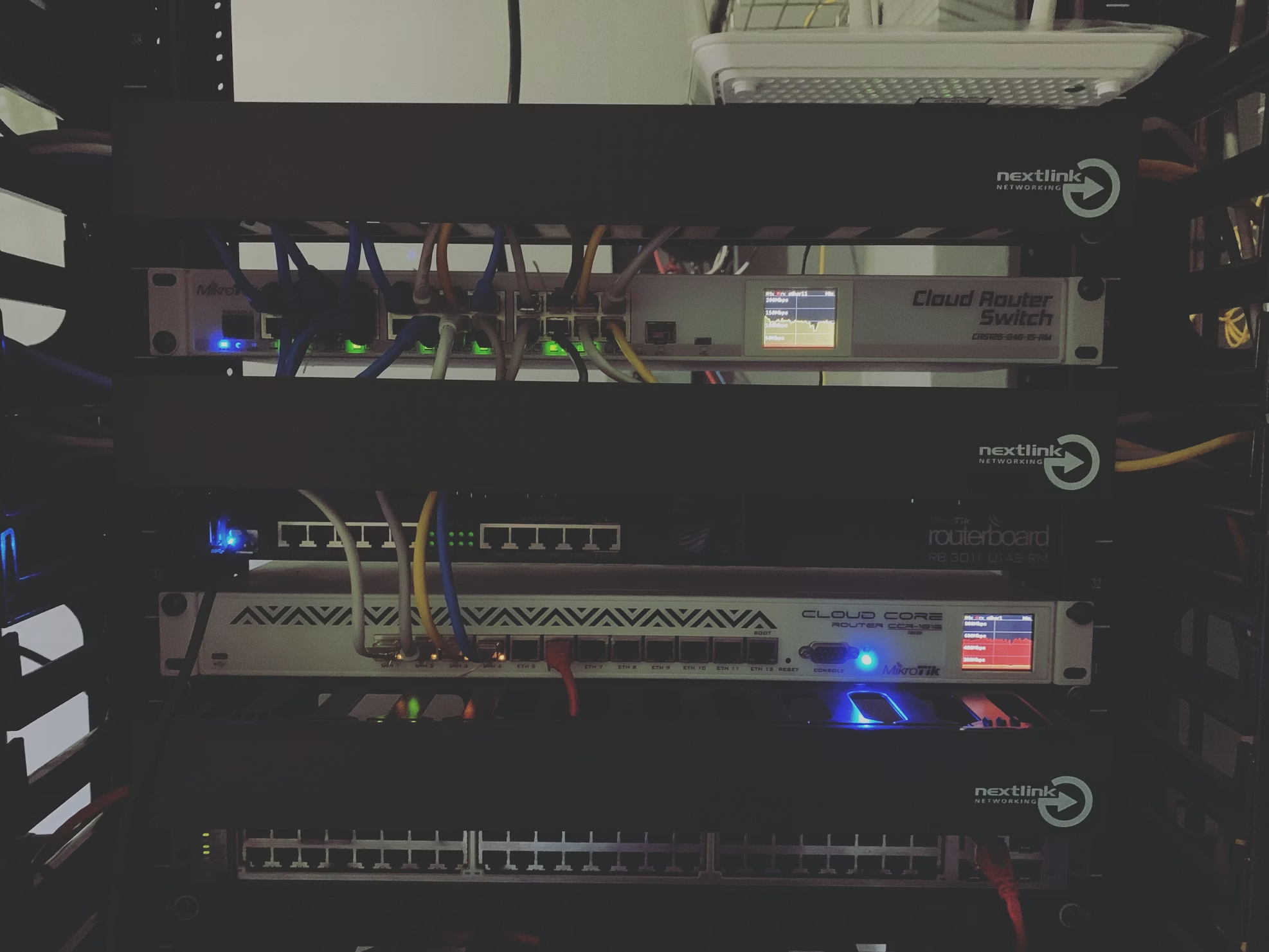
- Network infrastructure: Routers, access points, Ethernet runs
- Electrical work: Hardwired smart switches, thermostats
- Complete systems: Whole-home automation, business setups
- Time-sensitive projects: You need it working this week, not next month
Why it’s worth it:
- Done right the first time: No buying wrong parts or redoing failed attempts
- Saves your time: A 2-day DIY project takes a pro 2-4 hours
- Better placement: Professionals know optimal camera angles and coverage
- Ongoing support: If something breaks, you have someone to call
- No subscriptions: Pros can set up local servers instead of cloud services
The hidden costs of DIY
What people often don’t consider:
- Your time: 5-10 hours of research, shopping, and installation
- Wrong purchases: Returns and exchanges add up
- Troubleshooting frustration: Hours stuck on one issue
- Warranty concerns: Some products require pro installation
- Future expandability: DIY setups often need redoing to add more devices
Example: DIY security camera
- 3 hours researching which cameras to buy
- $400 in equipment from Amazon
- 4 hours installing and configuring
- 2 hours troubleshooting Wi-Fi connection issues
- Monthly cloud storage fees: $10-$15/month
- Total first year: $400 + $120-$180 fees + 9 hours of your time
Example: Professional installation
- 1 consultation call to discuss needs
- Professional handles all equipment ordering
- 3-hour installation with server setup
- Training on how to use and maintain
- No monthly fees with local storage
- Total first year: ~$2,000 all-in + 1 hour of your time
The “DIY then call for help” trap
Many customers start with DIY and end up calling us because:
- Devices don’t talk to each other: Different brands, different apps
- Wi-Fi reliability issues: Dropped connections, dead zones
- Can’t achieve the automation they wanted: Apps have limitations
- Frustrated with multiple apps: Each device needs its own app
- Security concerns: Cloud-based systems with unknown privacy policies
The fix usually means:
- Starting over with better equipment
- Running cables they hoped to avoid
- Setting up a proper hub/server
- Paying for professional time + original DIY costs
Projects that benefit most from professional help
1. Security camera systems
Why go pro:
- Proper camera placement prevents blind spots
- Cable management looks clean and professional
- Server setup eliminates monthly fees
- One app for everything, not 5 different ones
DIY risk: Poor coverage, unreliable Wi-Fi, ongoing subscription costs
2. Whole-home automation
Why go pro:
- Devices from different brands work together seamlessly
- Custom automations beyond basic “on/off”
- Local control, no reliance on cloud services
- Professional can troubleshoot and expand later
DIY risk: Device incompatibility, limited automation, internet-dependent
3. Business IT infrastructure
Why go pro:
- Network downtime costs money
- Employee access controls require proper setup
- Compliance and security considerations
- Support when things break
DIY risk: Security vulnerabilities, unreliable systems, no support
4. Website development
Why go pro:
- Custom design that represents your brand
- SEO optimization from the start
- Mobile-responsive without hacks
- Ongoing maintenance and updates
DIY risk: Generic templates, poor SEO, broken mobile view, no support
Questions to ask yourself
Before deciding DIY vs professional, consider:
- Time: Do I have 5-10+ hours to learn and install this?
- Risk: What happens if I mess this up?
- Expansion: Will I want to add more later?
- Support: What if it stops working in 6 months?
- Opportunity cost: What else could I do with that time?
The hybrid approach
Sometimes the best answer is both:
- Pro installs the foundation: Camera system or automation server
- You add simple devices: Smart plugs, bulbs
- Pro helps when you expand: Add more cameras or complex automations
This way you get the benefits of professional infrastructure with the flexibility to tinker.
What professional service should include
If you go the pro route, make sure you get:
- Clear quote before any work starts
- Equipment recommendations based on your needs, not upselling
- Hands-on training after installation
- Documentation of what was installed and how to use it
- Support path for future questions
Our approach
We handle:
- Full installation with clean, professional cable runs
- Local server setup to eliminate monthly fees
- Device integration so everything works together
- Training so you’re confident using your system
- Ongoing support when you need help
You save time, avoid frustration, and get a system that actually works the way you wanted.
Ready to skip the DIY headaches?
Let’s talk about your project—we’ll recommend DIY if that makes sense, or provide a clear quote for professional installation.
Call/text 📱 (469) 844-0493 for honest advice.